How to add a new device?
How to configure R1BBIT ESP32 Wi-Fi ?
Install the App
Download the R1BBIT app from Google Play
Press to REGISTER
Registration First Name / Last Name / Email / Password / Confirm Password
Press to SING UP
Verify your email and log in to the app.
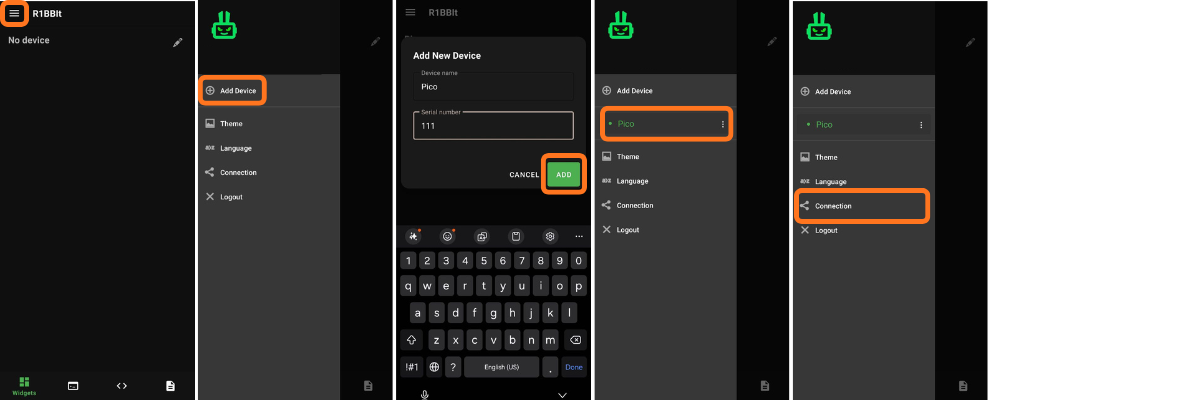
Adding a new device.
Configuring Wi-Fi on R1BBIT ESP32
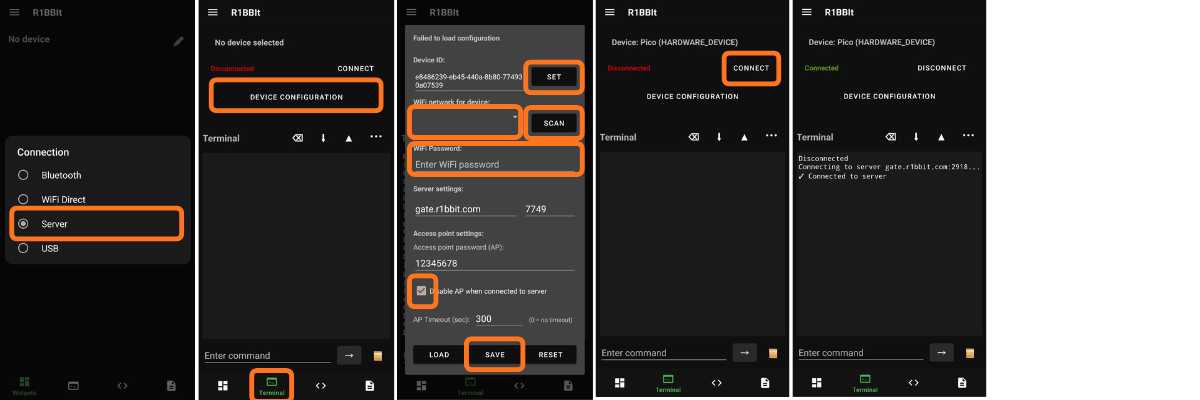
Congratulations, your ESP32 is now working with the server R1BBIT via Wi-Fi.
Now widgets are available to you.
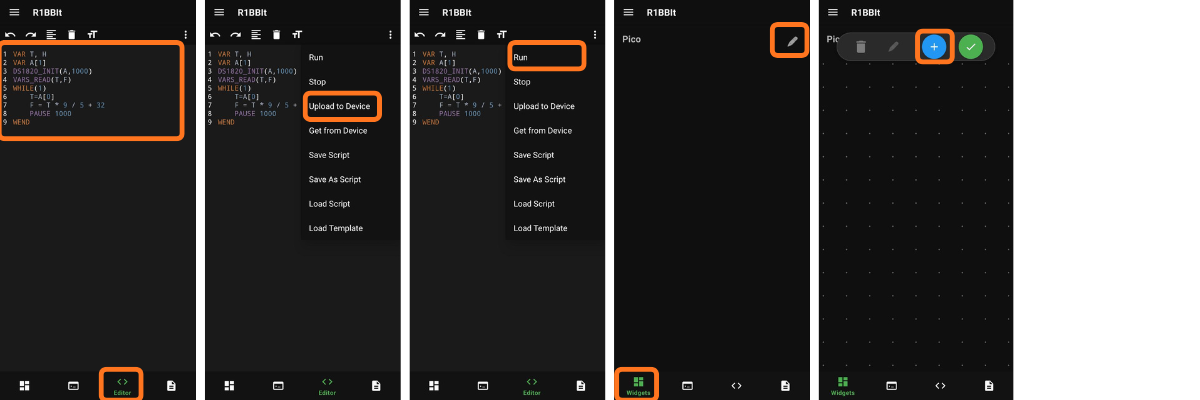
Widget: Label
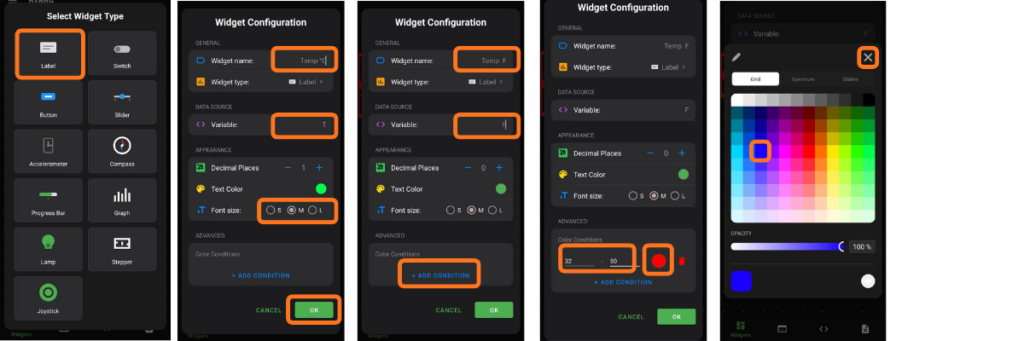
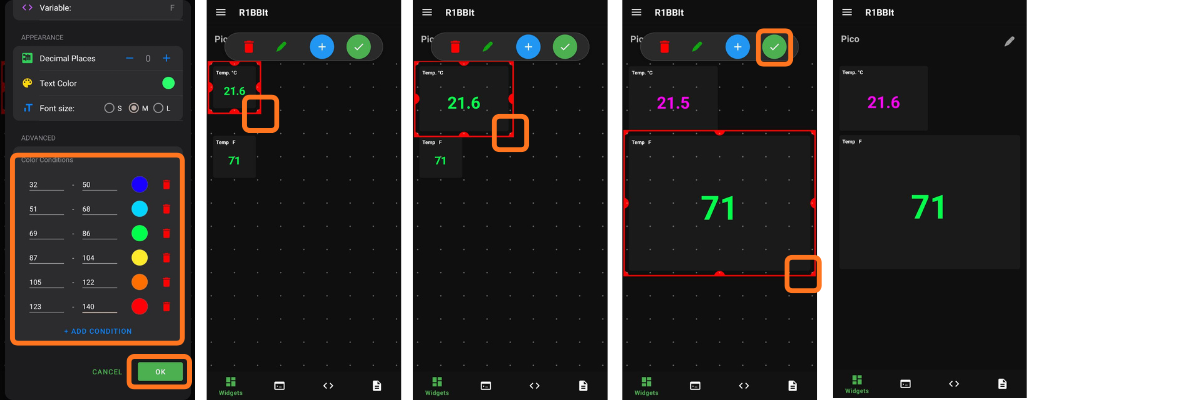
The Label widget allows you to display a single user variable that is sent to the R1BBIT CLOUD server.
It also lets you add one or more conditions and change the text color based on different value ranges.