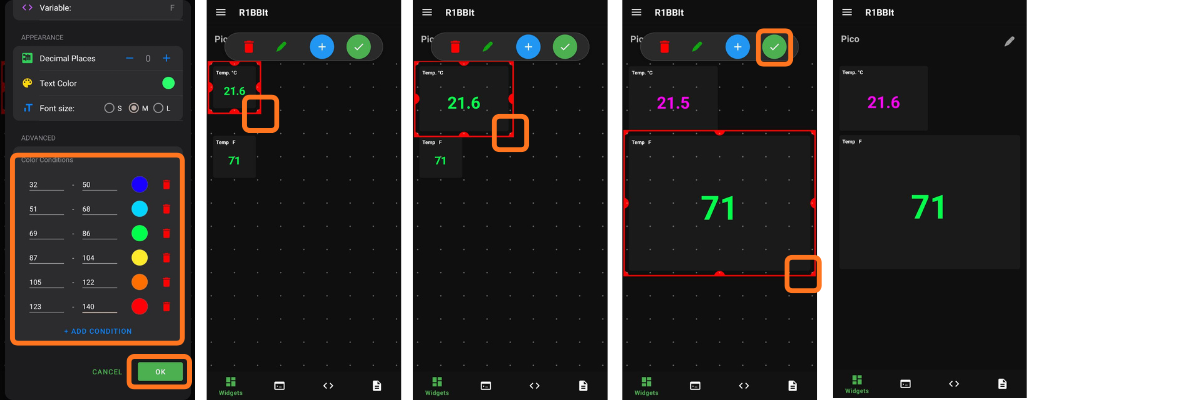
How to add a new device?
How to configure ESP32 and Wi-Fi on R1BBIT boards?
Step 1. Connect the Hardware
Connect the ESP32 adapter to the UART port:
VCC → 3.3V
GND → GND
TX → RX
RX → TX
Step 2. Install the App
Download the R1BBIT app from Google Play
Press to REGISTER
Registration First Name / Last Name / Email / Password / Confirm Password
Press to SING UP
Verify your email and log in to the app.

Adding a new device.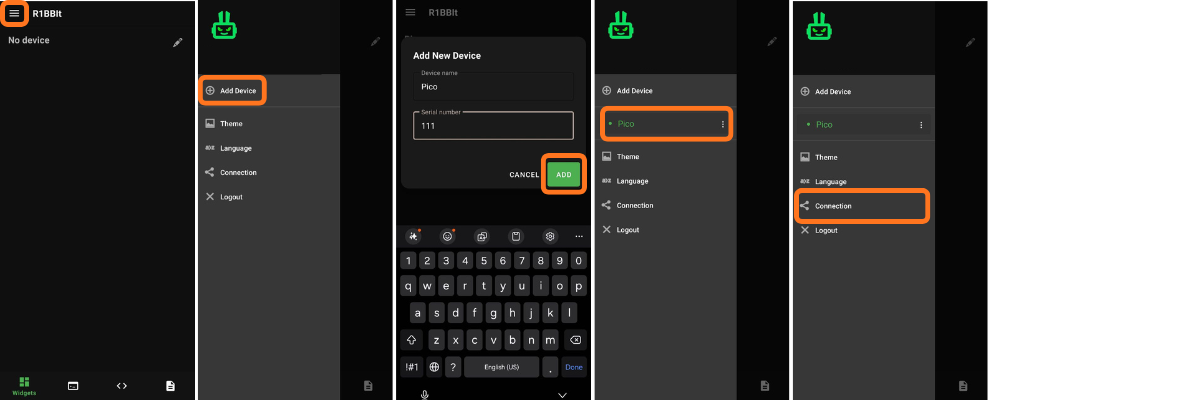
Configuring ESP32 and Wi-Fi on R1BBIT boards
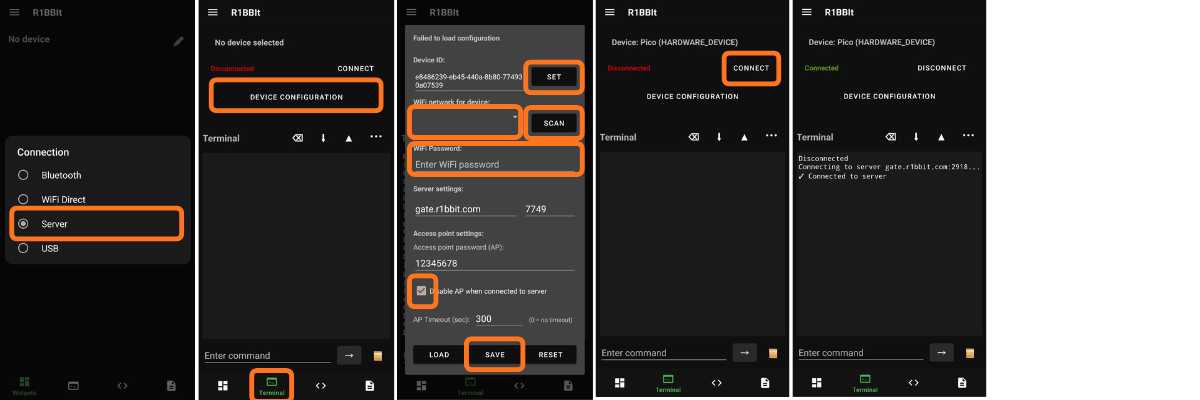
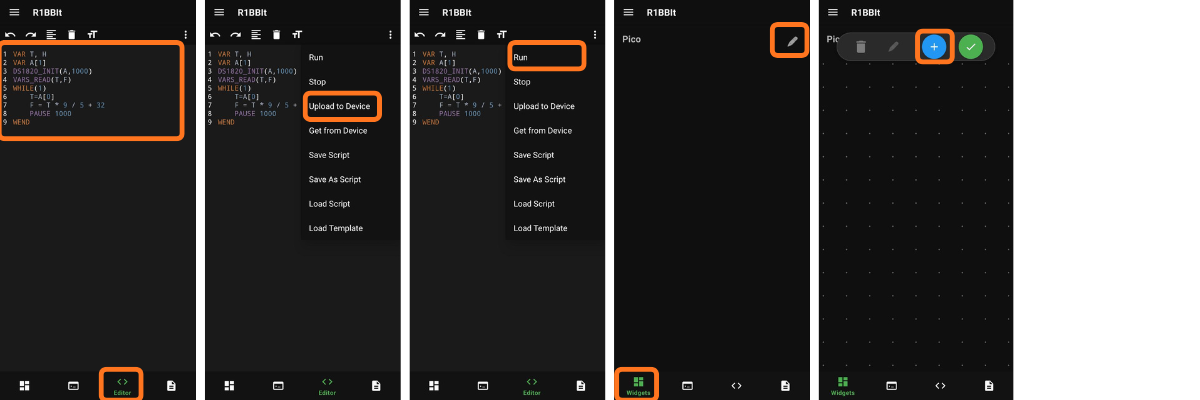
Congratulations, your R1BBIT is now working with the server via Wi-Fi.
Now widgets are available to you.
Widget: Label
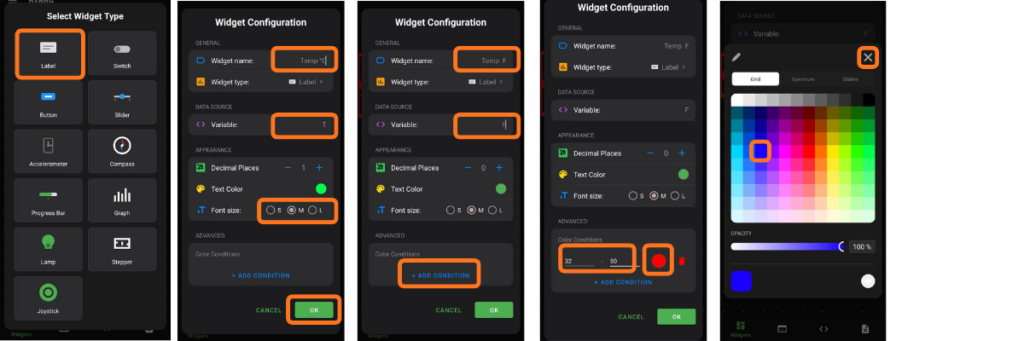
The Label widget allows you to display a single user variable that is sent to the R1BBIT CLOUD server.
It also lets you add one or more conditions and change the text color based on different value ranges.